Data Structures
Rust has Scalar primitives as well as a rich type system of custom data types that can be defined using structs and enums.
Numbers
Numbers in Rust have specific sizes. An i32, for example, is a signed integer with 32 bits available to define the number. Since numbers have associated sizes, the min and max values they can represent are smaller or larger based on that size.
- An i32 has a minimum value of
-2_147_483_648and a maximum of2_147_483_647. - A u8 is an unsigned 8-bit integer, which has a minimum value of
0and a maximum of255. - An f32 is a 32-bit floating point number.
Also interesting is the idea of numbers that use specific values to store additional data. For example, if we knew we never had a 0, we could specify a variable as a NonZeroU8, which has interesting implications in that Option<NonZeroU8> and u8 have the same size in memory because the None value can be stored as 0.
assert_eq!(size_of::<Option<core::num::NonZeroU8>>(), size_of::<u8>());Characters
A char is a Unicode scalar type in Rust. Character literals are defined using single-quotes.
Given a String we can get an iterator over the characters using chars. In this case we’re checking to see if a character is one of two values using character literal syntax. Note because char is its own type, we can’t compare against a string literal ("s") and must use a character literal ('s').
fn main() {
    let name = "Chris Biscardi";

    for character in name.chars() {
        if character == 'i' || character == 's' {
            dbg!(character);
        }
    }
}
Booleans
Rust’s true and false values are written as true and false and the type is called bool.
Arrays and tuples
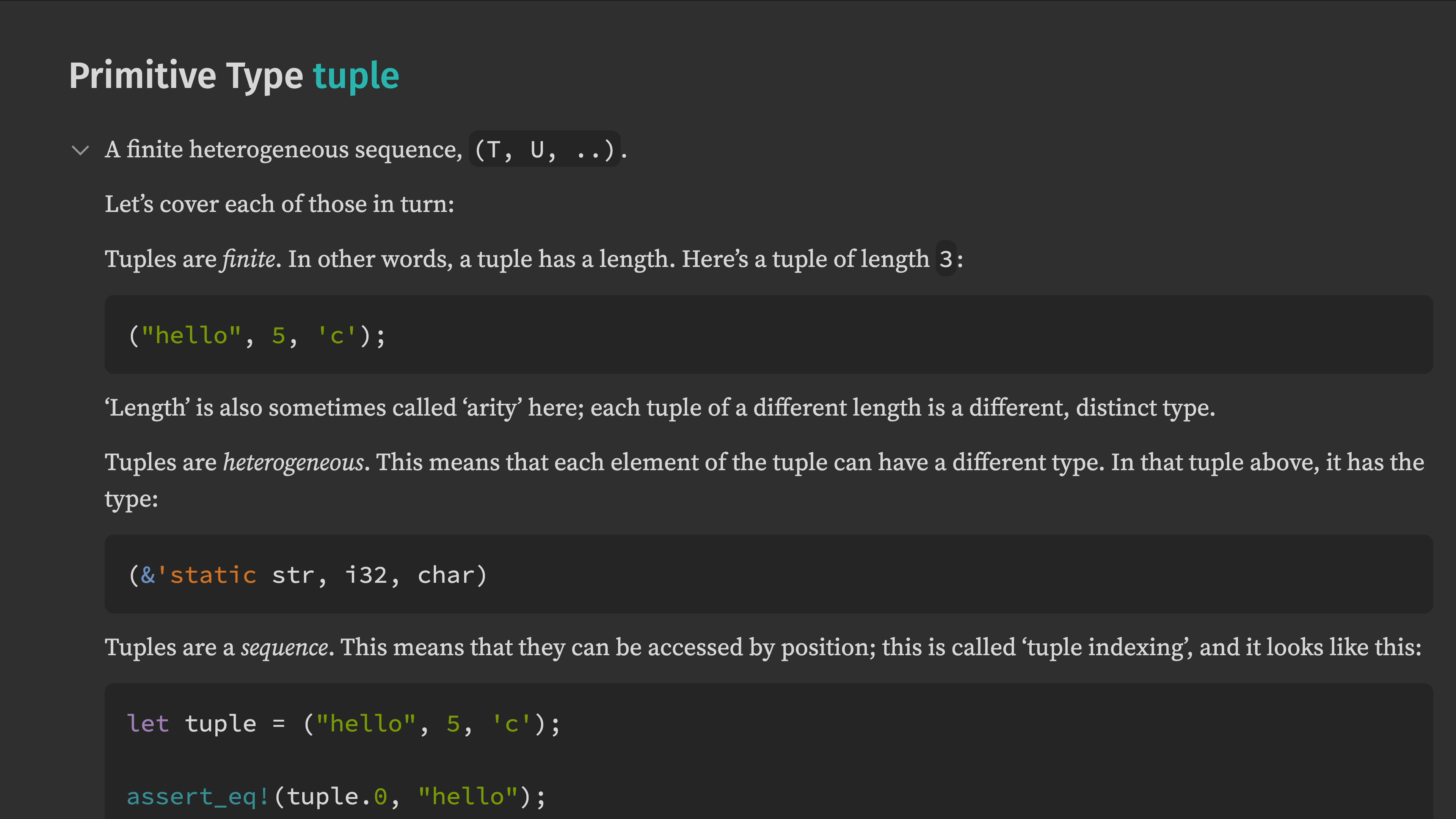
Arrays in Rust are fixed-size collections of items of the same type, while tuples are fixed-size collections of potentially different types.
If you want an array that you can push items into, you want a Vec instead.
Here are two ways of initializing an array of length 3. The first copies the 0. to fill all of the slots. The second uses 3 separate defined values, and thus doesn’t need to specify how long it is.
fn main() {
    let array_of_zeroes = [0.; 3];
    dbg!(array_of_zeroes);

    let xyz = [5., 2., 10.];
    dbg!(&xyz);
    dbg!(xyz[1]);
}
Getting a single value from an array can be done by indexing.
[src/main.rs:3:5] array_of_zeroes = [
    0.0,
    0.0,
    0.0,
]
[src/main.rs:6:5] &xyz = [
    5.0,
    2.0,
    10.0,
]
[src/main.rs:7:5] xyz[1] = 2.0
While arrays can only hold one type of item, tuples can hold many different types of items at the same time. Here we have an f64, a &str, and a char in a tuple.
fn main() {
    let values = (5., "hello", 'c');
    dbg!(&values);
    dbg!(values.1);
}
Running this program outputs
[src/main.rs:3:5] &values = (
    5.0,
    "hello",
    'c',
)
[src/main.rs:4:5] values.1 = "hello"
Structs
Creating your own data types can be done using struct and enum. This is how all of the data types we’ve used so far are built.
- A
Vecis a struct - A
Stringis a struct that contains aVec - Result and Option are enums
- etc
A struct is a collection of fields that can be defined with named fields, unnamed fields, or no fields. The latter two are often referred to as tuple structs and unit structs.
Here are a few ways to construct struct types and values, along with a Debug implementation (which we’ll talk more about later).
fn main() {
    let values = MyStuff(5., "hello".to_string(), 'c');
    dbg!(&values);
    dbg!(values.1);

    let animal = Animal {
        name: "Vincent Van Dog".to_string(),
        legs: 4,
        color: "brown".to_string(),
    };
    dbg!(&animal);
    dbg!(animal.name);

    let marker = IsCool;
    dbg!(marker);
}

#[derive(Debug)]
struct MyStuff(f32, String, char);

#[derive(Debug)]
struct Animal {
    name: String,
    legs: u32,
    color: String,
}

#[derive(Debug)]
struct IsCool;
Tuple structs can be accessed by index. Structs with names can be accessed by field name. Unit structs are zero-sized types with no fields, but we can still dbg! them.
[src/main.rs:3:5] &values = MyStuff(
    5.0,
    "hello",
    'c',
)
[src/main.rs:4:5] values.1 = "hello"
[src/main.rs:11:5] animal.name = "Vincent Van Dog"
[src/main.rs:14:5] marker = IsCool
Enums
An enum is a choice between multiple variants. For example, we can define a set of colors and then use a specific variant. This is great when you have to pick one of many options.
fn main() {
    let color = Color::Blue;
    dbg!(&color);

    match color {
        Color::Brown => {
            println!("is brown");
        }
        Color::Red => {
            println!("red. could be a parrot?");
        }
        Color::Blue => {
            println!("maybe a bluejay?");
        }
    }
}

#[derive(Debug)]
enum Color {
    Brown,
    Red,
    Blue,
}
Running this program outputs:
[src/main.rs:3:5] &color = Blue
maybe a bluejay?
The color example showed off a set of unit variants, which is a fairly common usage, but enums can contain all sorts of data just like structs.
fn main() {
    let bird = Avian::Parrot {
        name: "Jose".to_string(),
    };
    dbg!(&bird);

    match bird {
        Avian::Chicken(number) => {
            println!("Chicken number {number}");
        }
        Avian::Owl => {
            println!("Who? Who?");
        }
        Avian::Parrot { name } => {
            println!("My Parrot's name is {name}");
        }
    }
}

#[derive(Debug)]
enum Avian {
    Chicken(i32),
    Owl,
    Parrot { name: String },
}
With a Parrot the program now outputs.
[src/main.rs:5:5] &bird = Parrot {
    name: "Jose",
}
My Parrot's name is Jose