In the GameState::Menu game state, we need to show our wonderful new menu.
In the GameState::Playing game state, we need to hide our wonderful UI.
Kayak requires that we bind to resources we want to expose to the UI before we can use it to show/hide the UI.
We need to add a new resource that is bind(GameState::Menu). This is the binding that will update over time.
Add a new system called bind_gamestate that accesses the CurrentState and the Binding for GameState.
We can use is_changed() to detect if the CurrentState has changed, and set the binding to the current GameState value. This will continually update our binding when the CurrentState changes.
impl Plugin for UiPlugin {
    fn build(&self, app: &mut bevy::prelude::App) {
        app.add_plugin(BevyKayakUIPlugin)
            .insert_resource(bind(GameState::Menu))
            .add_startup_system(game_ui)
            .add_system(bind_gamestate);
    }
}

pub fn bind_gamestate(
    state: Res<CurrentState<GameState>>,
    binding: Res<Binding<GameState>>,
) {
    if state.is_changed() {
        binding.set(state.0);
    }
}
You might think that we could insert this resource by querying the CurrentState in game_ui but unfortunately, the iyes_loopless GameState isn’t accessible in startup systems (our custom stage only inserts it after the startup systems have run), so our game_ui startup system can’t access it.
If we tried to, with code that looks like this:
pub fn game_ui(
    mut commands: Commands,
    mut font_mapping: ResMut<FontMapping>,
    asset_server: Res<AssetServer>,
    gamestate: Res<CurrentState<GameState>>
) {...}
Then we would get this error at runtime: Resource requested by snake::ui::game_ui does not exist: iyes_loopless::state::CurrentState<snake::GameState>
❯ cargo run
    Finished dev [unoptimized + debuginfo] target(s) in 0.08s
     Running `target/debug/snake`
2022-04-23T12:50:49.775340Z  INFO bevy_render::renderer: AdapterInfo { name: "Apple M1 Max", vendor: 0, device: 0, device_type: DiscreteGpu, backend: Metal }
thread 'Compute Task Pool (2)' panicked at 'Resource requested by snake::ui::game_ui does not exist: iyes_loopless::state::CurrentState<snake::GameState>', /Users/chris/.cargo/registry/src/github.com-1ecc6299db9ec823/bevy_ecs-0.7.0/src/system/system_param.rs:319:17
note: run with `RUST_BACKTRACE=1` environment variable to display a backtrace
thread 'main' panicked at 'task has failed', /Users/chris/.cargo/registry/src/github.com-1ecc6299db9ec823/async-task-4.2.0/src/task.rs:425:45
thread 'main' panicked at 'Task thread panicked while executing.: Any { .. }', /Users/chris/.cargo/registry/src/github.com-1ecc6299db9ec823/bevy_tasks-0.7.0/src/task_pool.rs:77:21
We do want to sync up the state that we’re actually starting the game with and the state that we initialize the binding with though.
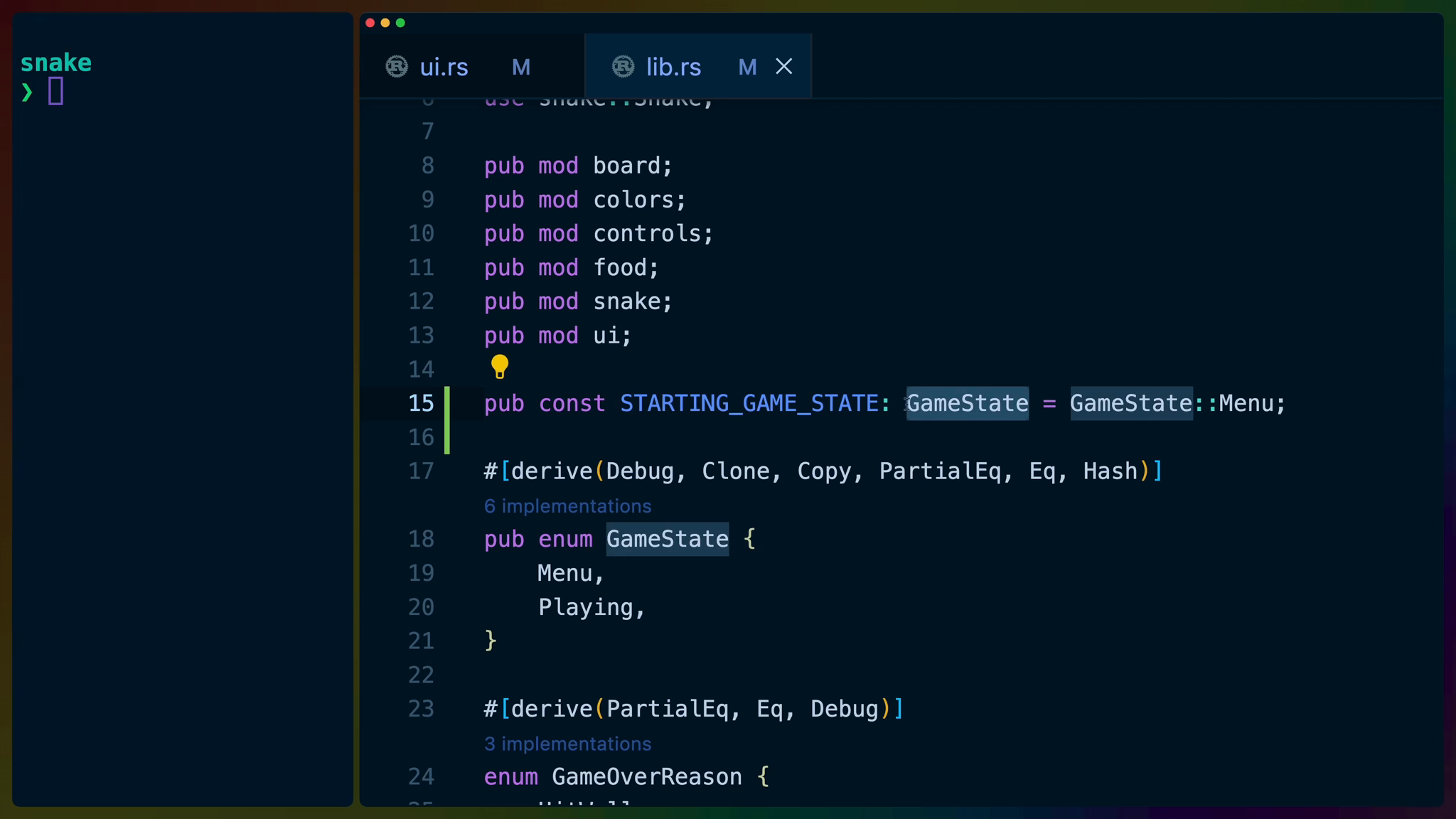
We can create a public const for this in lib.rs.
pub const STARTING_GAME_STATE: GameState = GameState::Menu;
and then use it in our add_loopless_state in main.rs.
.add_loopless_state(STARTING_GAME_STATE)
as well as our bind in ui.rs.
.insert_resource(bind(STARTING_GAME_STATE))
Connecting our widget
In our GameMenu widget, we can create a new boolean value called show_menus. This will control whether or not our menus will show.
Using context we can query the world for the Binding<GameState> and clone the binding out for our own use. This is similar to how we sent the app exit event.
The Binding type is a struct that holds an id and an Arc wrapped value, which means cloning is cheap.
Then we need to bind the relevant value to this widget so that we can react to updates. This is done with context.bind.
We can .get the value from the binding and check it against Menu to determine if the game is in the Menu state or not.
let show_menus = {
    let gamestate = context
        .query_world::<Res<Binding<GameState>>, _, _>(
            |state| state.clone(),
        );

    context.bind(&gamestate);
    gamestate.get() == GameState::Menu
};
We can wrap the If component around our entire menu and set the condition to our show_menus boolean.
rsx! {
    <If condition={show_menus}>
        <Background
            styles={Some(container_styles)}
        >
        ...
        </Background>
    </If>
    }
A STARTING_GAME_STATE of GameState::Menu will now show us the menu.

While a STARTING_GAME_STATE of GameState::Playing will let us play the game, then transition to showing the menu when we hit a wall.