Moving Pipes
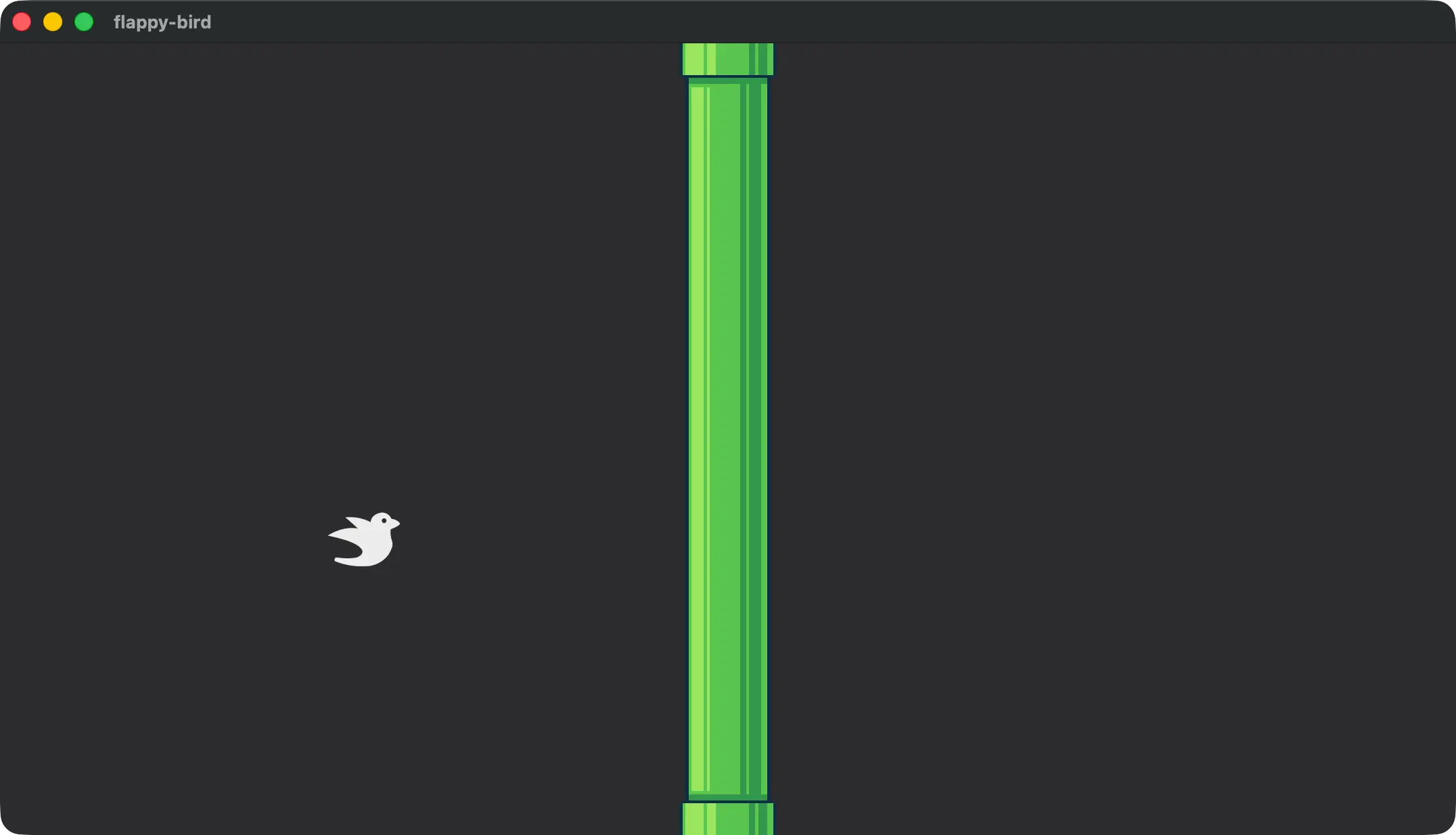
The reason we scaled our pipes up in the last lesson is so that we can orient them above and below a center gap that the bird can fly through. We can build a hierarchy of entities to orient multiple sprites in different positions to build this gap.
To do that we’ll use four new components in src/lib.rs.
#[derive(Component)]
pub struct Pipe;

#[derive(Component)]
pub struct PipeTop;

#[derive(Component)]
pub struct PipeBottom;

#[derive(Component)]
pub struct PointsGate;
We’ll also add two new constants to determine both the pipe size and the gap between the two pipes.
pub const CANVAS_SIZE: Vec2 = Vec2::new(480., 270.);
pub const PLAYER_SIZE: f32 = 25.0;
const PIPE_SIZE: Vec2 = Vec2::new(32., CANVAS_SIZE.y);
const GAP_SIZE: f32 = 100.0;
The height of the PIPE_SIZE is using the CANVAS_SIZE.y because this is an easy value which we will never exceed. All we’re really trying to do is make sure that the pipe sprite is always tall enough to fill the “rest” of the screen and there’s no strong reason to do it dynamically by adjusting the height.
Two Pipes and a Gap
The setup we’re going for is a gap surrounded by two pipes. Ideally we want a single element to query for to move the entire hierarchy, and in the future we’ll want to access the PointsGate and Pipe elements. The component labels for PipeTop and PipeBottom are going to be used in a later lesson to implement collision detection!
The Commands::spawn function accepts a bundle of components. This bundle can make use of the children! macro to indicate that a set of additional bundles should be spawned as children.
In this case we have a root Entity with Transform and Pipe components with three child entities. The hierarchy looks like this:
-
Entity: Pipe, Transform
- Entity: PipeTop, Transform, Sprite
- Entity: PointsGate, Transform, Sprite
- Entity: PipeBottom, Transform, Sprite
And the code to spawn it goes right in our spawn_pipes system in lib.rs.
fn spawn_pipes(
    mut commands: Commands,
    asset_server: Res<AssetServer>,
) {
    let image = asset_server.load_with_settings(
        "pipe.png",
        |settings: &mut ImageLoaderSettings| {
            settings
                .sampler
                .get_or_init_descriptor()
                .set_filter(
                    bevy::image::ImageFilterMode::Nearest,
                );
        },
    );

    let image_mode =
        SpriteImageMode::Sliced(TextureSlicer {
            border: BorderRect::axes(8., 19.),
            center_scale_mode: SliceScaleMode::Stretch,
            ..default()
        });

    let transform = Transform::from_xyz(0., 0., 1.);
    let gap_y_position = 0.;
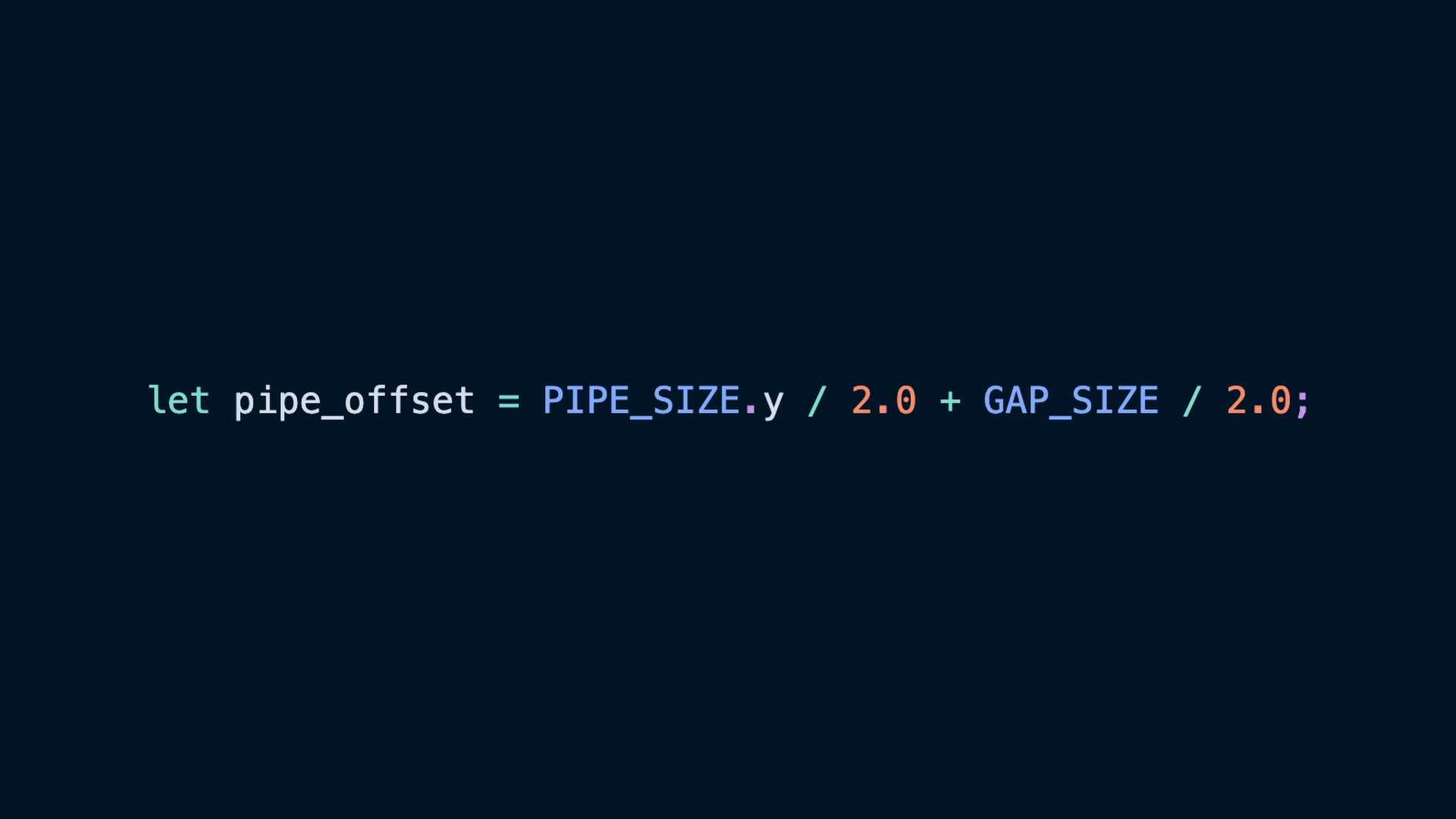
    let pipe_offset = PIPE_SIZE.y / 2.0 + GAP_SIZE / 2.0;

    commands.spawn((
        transform,
        Visibility::Visible,
        Pipe,
        children![
            (
                Sprite {
                    image: image.clone(),
                    custom_size: Some(PIPE_SIZE),
                    image_mode: image_mode.clone(),
                    ..default()
                },
                Transform::from_xyz(
                    0.0,
                    pipe_offset + gap_y_position,
                    1.0,
                ),
                PipeTop
            ),
            (
                Sprite {
                    color: Color::WHITE,
                    custom_size: Some(Vec2::new(
                        10.0, GAP_SIZE,
                    )),
                    ..default()
                },
                Transform::from_xyz(
                    0.0,
                    gap_y_position,
                    1.0,
                ),
                PointsGate,
            ),
            (
                Sprite {
                    image,
                    custom_size: Some(PIPE_SIZE),
                    image_mode,
                    ..default()
                },
                Transform::from_xyz(
                    0.0,
                    -pipe_offset + gap_y_position,
                    1.0,
                ),
                PipeBottom,
            )
        ],
    ));
}transformwill control where thePipeis on the x axis as we move itgap_y_positionwill control the height at which the gap is centered.
note
It is also notable that if you forget Visibility::Visible on the root Entity you will see warnings! This is because we have children with Sprites which need to be rendered, but our root element doesn’t have anything like that. The visibility progpagates down the hierarchy, so a missing Visibility component on a node in the middle of the tree can cause issues!
WARN bevy_ecs::hierarchy: warning[B0004]: Entity 21v0 with the Enable the debug feature to see the name component has a parent (18v0 entity) without Enable the debug feature to see the name.
We also re-use image and image_mode twice, once for each pipe. This is why we clone the first usage of each, so that we have two copies to use.
note
Cloning a Handle<Image> is extremely lightweight since Handle data is behind an Arc.
Arcs are a more intermediate to advanced Rust concept, and cloning them increments a counter instead of copying the actual data in the Arc.
Bevy’s Transform is at the center of the Entity they’re placed on. As a result, sprites are centered on their entity’s Transform translation, and a child’s Transform defines an offset from their parent’s Transform. The pipe_offset then, is half of the size of the gap plus half the size of the pipe sprite, which offsets the pipe’s sprite’s center away from the center of our Pipe root Entity.
let pipe_offset = PIPE_SIZE.y / 2.0 + GAP_SIZE / 2.0;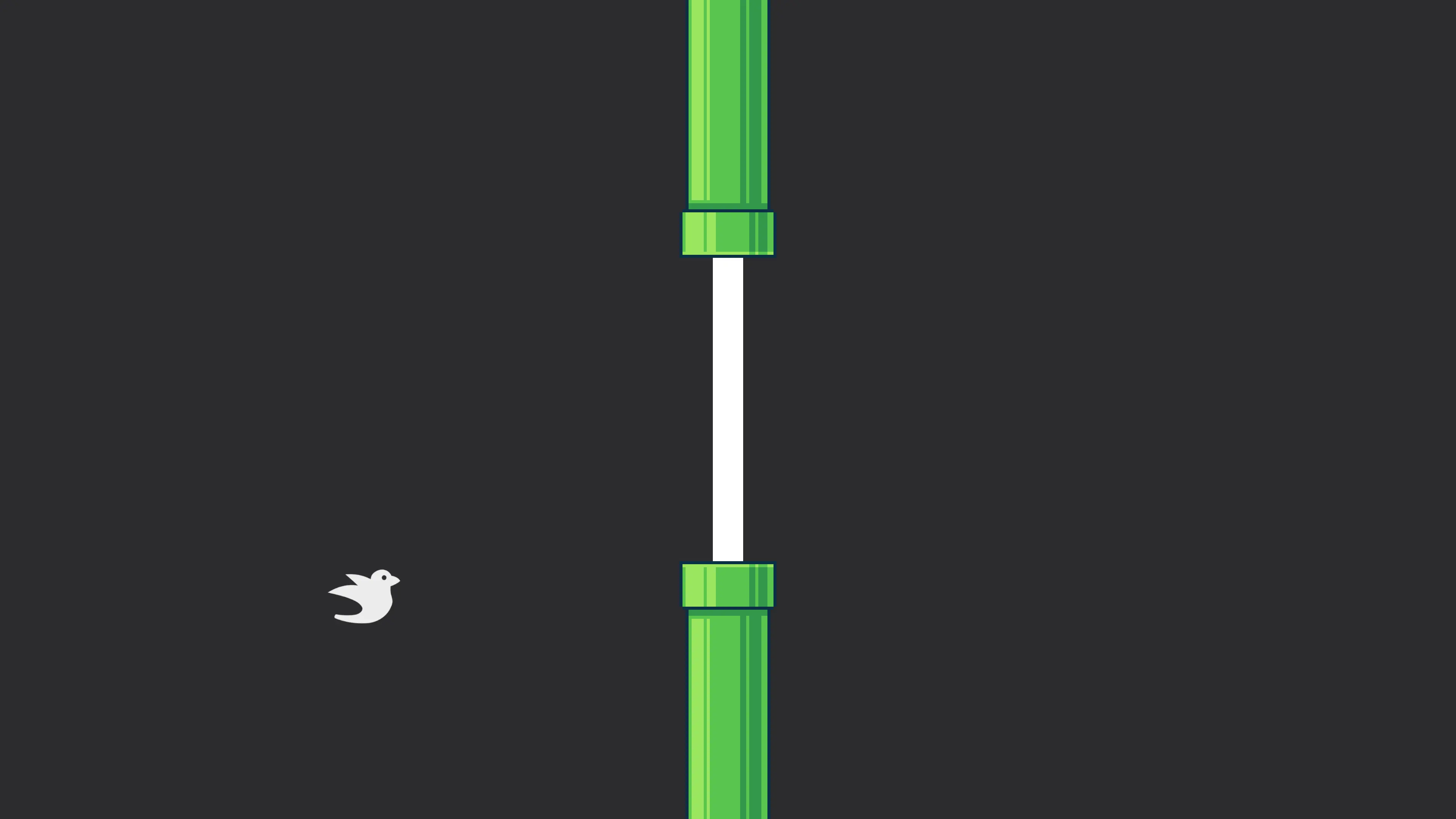
Moving Pipes
Due to how we set up our entities, moving our pipes becomes a query for the Pipe’s Transform, and the Time resource.
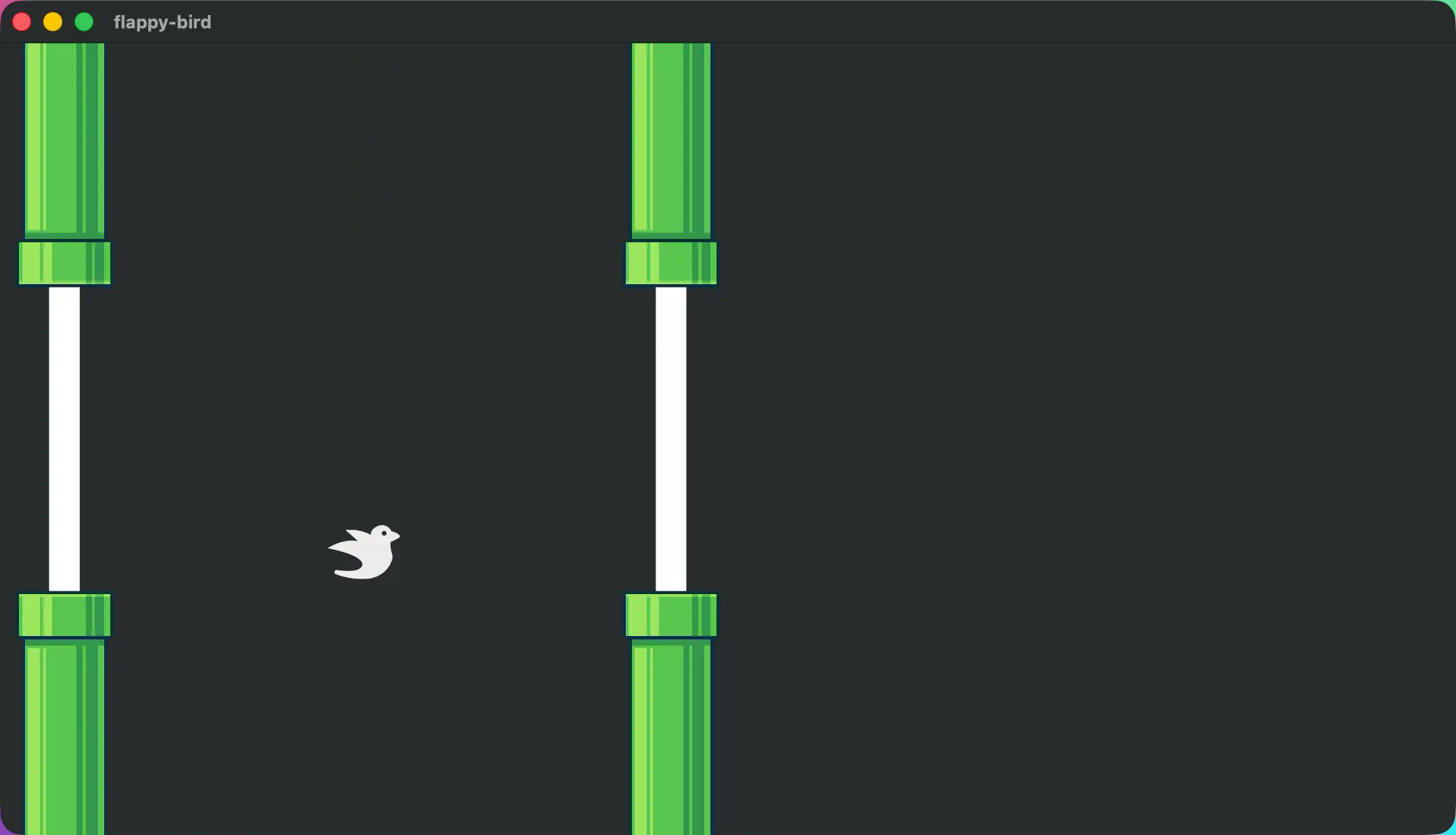
The Time resource will give us how much time has passed since the last frame. We’ll run this system in FixedUpdate since it is gameplay-related. This is an important point because using FixedUpdate will mean the pipe speed isn’t dependent on the framerate of the person playing the game!
We iterate over all of the Transforms for any Pipes that were spawned, and move their x coordinate left by PIPE_SPEED according to how much time has passed.
pub fn shift_pipes_to_the_left(
    mut pipes: Query<&mut Transform, With<Pipe>>,
    time: Res<Time>,
) {
    for mut pipe in &mut pipes {
        pipe.translation.x -=
            PIPE_SPEED * time.delta_secs();
    }
}
Also add the PIPE_SPEED const to the top of the file.
const PIPE_SPEED: f32 = 200.0;Then back up in our PipePlugin we’ll add the shift_pipes_to_the_left system to our FixedUpdate schedule.
We can also take this opportunity to change the run_once condition to a timer that spawns a pipe every 1 second.
impl Plugin for PipePlugin {
    fn build(&self, app: &mut App) {
        app.add_systems(
            FixedUpdate,
            (
                shift_pipes_to_the_left,
                spawn_pipes.run_if(on_timer(
                    Duration::from_millis(1000),
                )),
            ),
        );
    }
}
The condition will require bringing Duration and on_timer into scope.
use std::time::Duration;

use bevy::{
    image::ImageLoaderSettings, prelude::*,
    time::common_conditions::on_timer,
};
Despawning Pipes
There are still two changes we need to make to the pipes
- Despawn when they leave the field of play
- Spawn pipes to the right side of the field of play, out of view
To understand that our pipes aren’t despawning you can take a variety of actions including:
Writing a system that queries for entities with a Pipe component and counting the results.
fn count_pipes(query: Query<&Pipe>) {
    info!("{} pipes exist", query.iter().len());
}
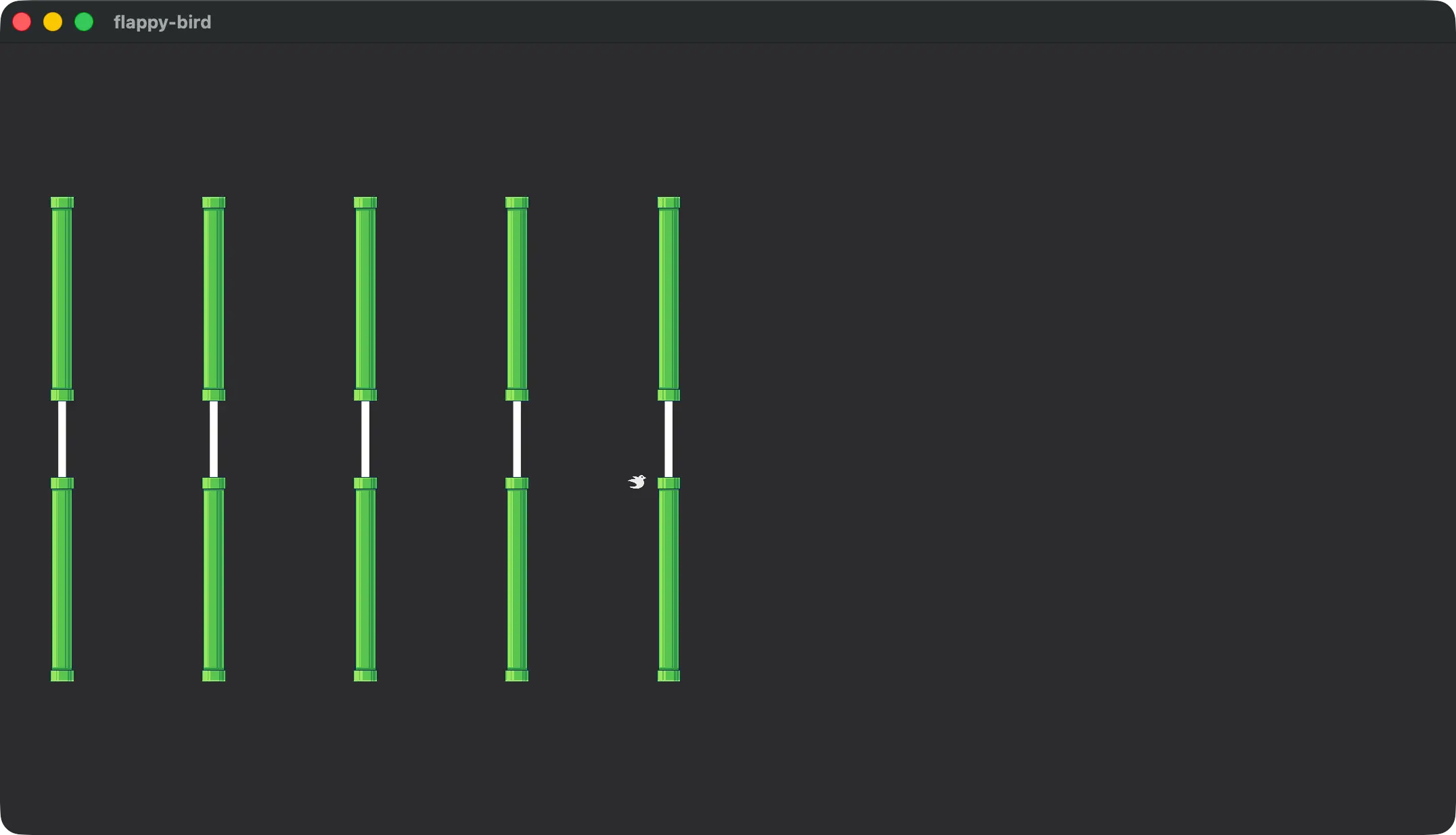
Making the camera show more of the world space and visually checking.
commands.spawn((
    Camera2d,
    Projection::Orthographic(OrthographicProjection {
        scaling_mode: ScalingMode::AutoMax {
            max_width: CANVAS_SIZE.x * 4.,
            max_height: CANVAS_SIZE.y * 4.,
        },
        ..OrthographicProjection::default_2d()
    }),
));
There are also popular inspectors in the ecosystem that you can install to visually inspect the entities and components in your application, but we won’t cover them here.
For this project you can use one of the above solutions to verify that the system is working as intended.
Our despawn system queries for Entitys with a Transform and a Pipe component. In this case the query will fetch the Entity id and the Transform component value when we iterate over it, but not fetch the Pipe component.
We use the transform to check if the pipe has left the field, and if it has use Commands::entity to get access to the EntityCommands for this Entity. The EntityCommands::despawn function is the one we’re looking for, which will despawn the entity and remove its components.
fn despawn_pipes(
    mut commands: Commands,
    pipes: Query<(Entity, &Transform), With<Pipe>>,
) {
    for (entity, transform) in pipes.iter() {
        if transform.translation.x
            < -(CANVAS_SIZE.x / 2.0 + PIPE_SIZE.x)
        {
            commands.entity(entity).despawn();
        }
    }
}
Don’t forget to add the system to our set.
impl Plugin for PipePlugin {
    fn build(&self, app: &mut App) {
        app.add_systems(
            FixedUpdate,
            (
                despawn_pipes,
                shift_pipes_to_the_left,
                spawn_pipes.run_if(on_timer(
                    Duration::from_millis(1000),
                )),
            ),
        );
    }
}
We should also make the change that will spawn pipes to the right of the playing field. In spawn_pipes change the Pipe transform variable to use a value that is at least half the canvas x size as the x value.
let transform = Transform::from_xyz(CANVAS_SIZE.x / 2., 0.0, 1.0);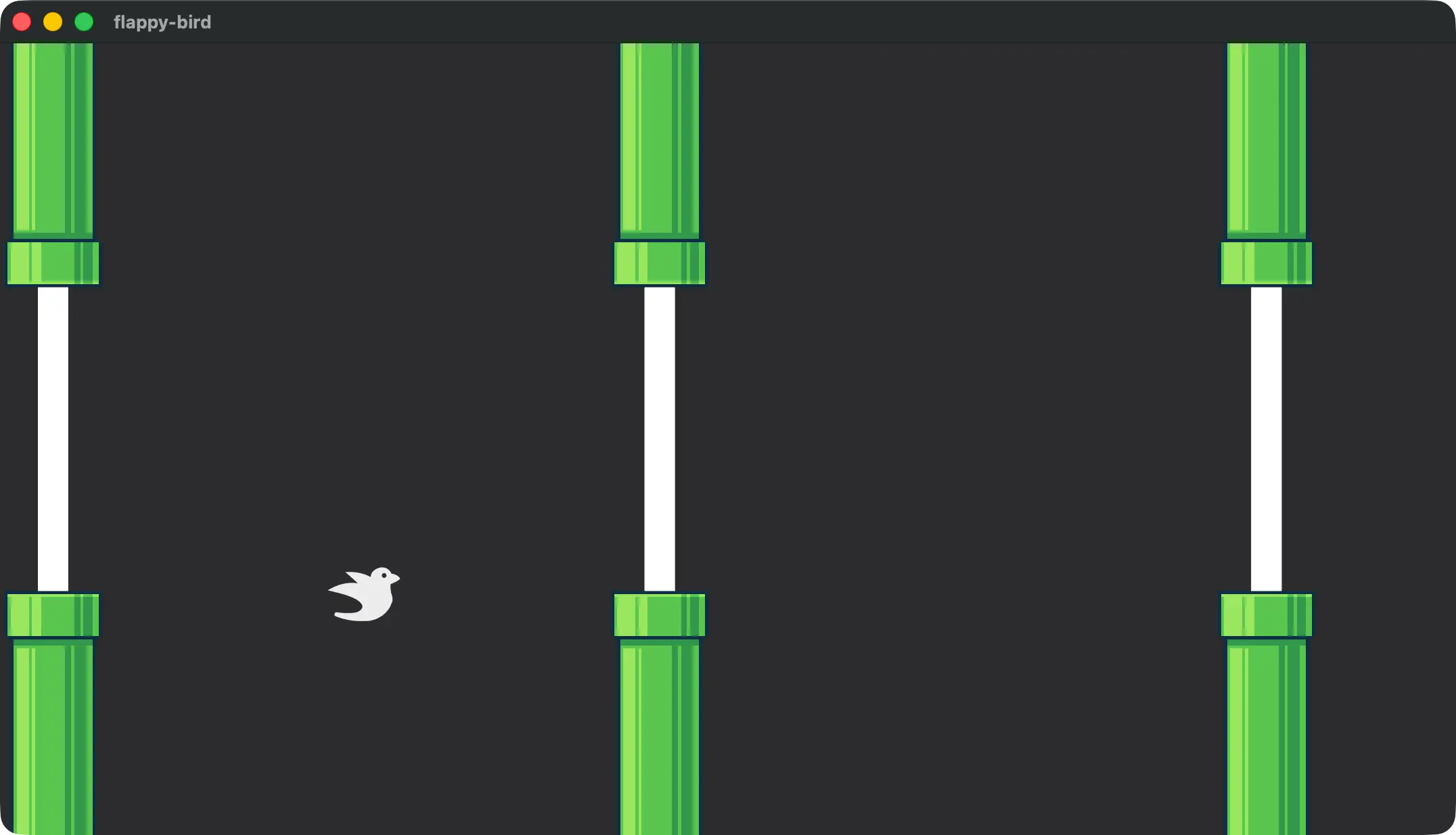
And with that we have a player-controlled bird and moving pipes!